Squarespace Member Sites vs Courses vs Acuity: Which Should You Use?
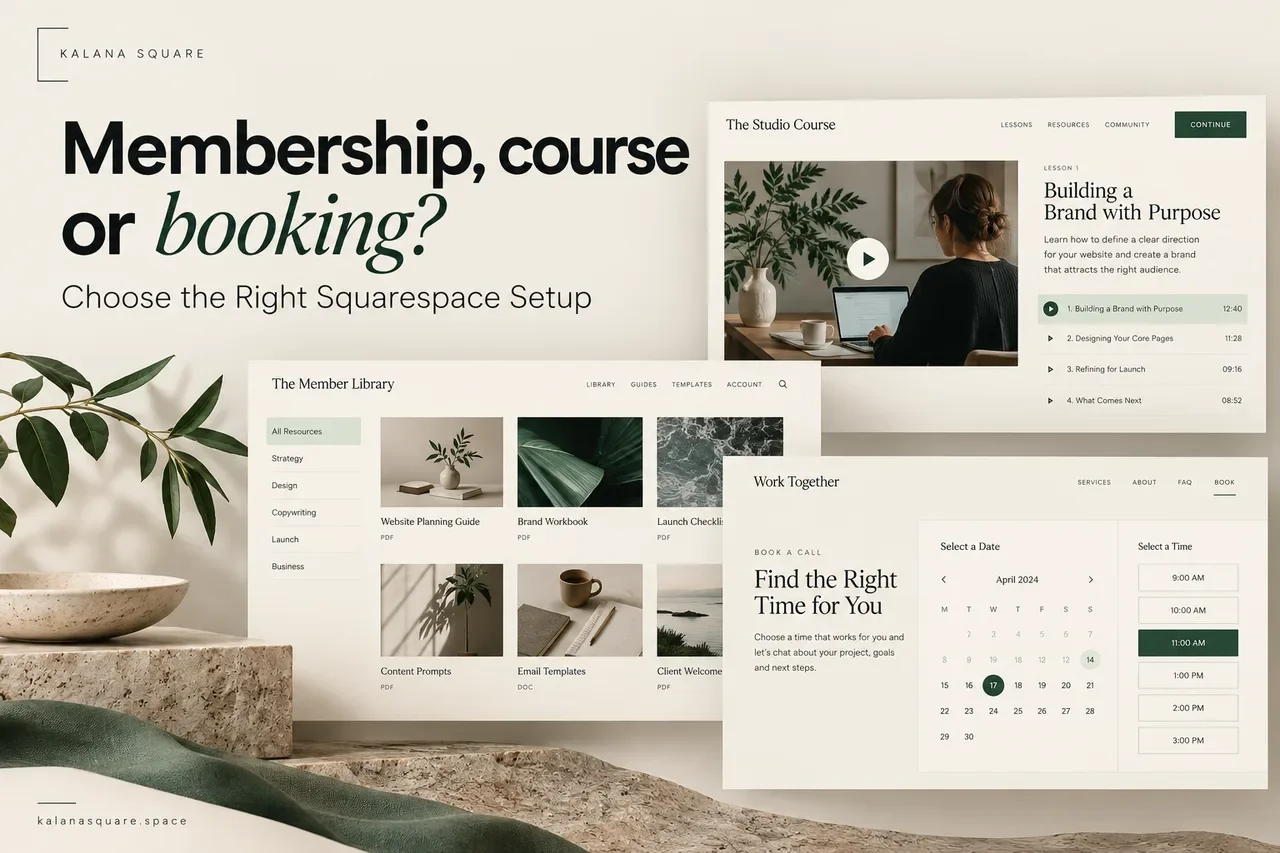
If you are planning to sell expertise online, it is easy to choose a website feature before deciding what customers actually need. You might start building a member area, then discover that the main requirement is appointment booking. Or you might upload a collection of videos when customers really need a guided course.
Squarespace Member Sites, Courses and Acuity Scheduling serve different purposes. The useful distinction is simple: Member Sites organize protected resources, Courses organize learning, and Acuity manages time-based appointments.
Choosing the right starting point makes the website easier to build and the offer easier to explain.
Start with what the customer is buying
Write a plain-language description of the offer before comparing features. “A library of downloadable business templates” describes content access. “Learn to photograph products through six lessons” describes a learning journey. “Book a one-hour consultation” describes an appointment.
If the offer includes several elements, list each separately. This helps you identify which tool should handle each part without making the customer manage an unnecessarily complicated system.
When a Member Site makes sense
A Member Site is useful when people need access to a protected collection of pages or resources. They might return for workshop recordings, templates, private articles or client materials.
The content does not have to follow a strict sequence. A member can choose the resource relevant to their current question.
Imagine a fictional business coach offering a resource library. Members might browse planning worksheets, recorded discussions and monthly updates. A clear library homepage, organized by topic, helps them find the material they need.
The value depends on more than the paywall. Members still need a useful navigation system, clear descriptions and an explanation of what is available. A growing list of unlabelled downloads quickly becomes difficult to use.
When a Course is the better fit
A course suits an offer with a defined learning outcome and a sensible order. Chapters and lessons help students understand where to start and what comes next.
A photography programme might begin with lighting, move into composition and finish with editing. That structure communicates progress more clearly than a loose collection of video links.
Plan the learning experience before uploading everything. Give each lesson a purpose, explain what the student will do and include relevant supporting material. Longer is not automatically better; a focused lesson can be easier to complete.
Decide what happens after the final lesson too. Students may need a summary, a reference sheet or a way to ask about further support.
When to use Acuity Scheduling
Acuity is appropriate when customers need to reserve a particular time. Examples include consultations, beauty treatments, coaching calls and scheduled classes.
The main decisions concern availability: appointment duration, staff or calendars, buffers, time zones and the information needed before the session.
A booking page should explain what the appointment includes before asking people to choose a slot. If the consultation is paid, describe the deliverable and cancellation terms clearly. If it is an introductory call, explain who it is for.
Acuity should not be expected to replace a complete learning library. Similarly, a protected page containing a calendar link does not automatically create a well-managed booking allowance.
How a combined offer can work
A coaching programme may need course lessons, supporting resources and scheduled calls. In that situation, each tool can have a clear role.
The public sales page explains the programme.
The course delivers the planned learning sequence.
The resource area contains material used throughout the programme.
The scheduler manages live sessions.
This is a possible architecture, not a promise that all payments, logins and appointment credits automatically synchronize. Digital-content access and scheduling entitlements need to be configured and tested separately.
For example, if a membership includes two calls a month, decide how those calls are redeemed and how misuse is prevented. A public booking link alone may not enforce that allowance.
Check the requirements before choosing a plan
Write down the functions your offer genuinely needs: recurring payments, video storage, access duration, multiple instructors, appointment packages, certificates, quizzes or community discussions.
Then check current platform capabilities and costs against that list. Do not assume that a protected content area includes a full discussion forum, or that a course tool includes every feature of a specialist learning platform.
Payment availability also depends on the business location and chosen provider. Confirm that the business can accept the intended payment types before investing in the complete design.
When the requirements are complex, a short technical planning stage is more useful than discovering limitations after the sales page is finished.
Build a public page that answers buying questions
Prospective customers cannot evaluate protected material unless you show them what they will receive. Use lesson outlines, sample resources and accurate previews to explain the offer.
Make the following details easy to find: intended audience, included content, live support, access duration, billing frequency and the first step after purchase.
Be specific about limitations. If access ends with the subscription, say so. If a session allowance expires, explain it. Avoid vague language that creates expectations the system does not support.
One clear offer is usually easier to understand than several plans with almost identical descriptions.
Design the first five minutes after purchase
Once someone pays, they should know exactly what to do next. A welcome page can identify the first lesson, show the resource library and explain how to book any included session.
Keep support details visible. Login confusion can quickly become a frustrating first impression, even when the material itself is excellent.
Use consistent names across the sales page, checkout and member area. If the sales page promises “Website Foundations,” the customer should not arrive inside an unfamiliar product called “Package B.”
Test as a customer, not an administrator
An administrator may see pages that customers cannot access. Test using a separate customer account and follow the complete journey on desktop and mobile.
Check registration, purchase, login, access to the correct content, booking instructions, confirmation messages and cancellation information. Also check what happens when a customer is not entitled to a resource.
Where an offer combines systems, test the transitions carefully. Confirm whether a second login is needed and explain it before customers become confused.
Keep a record of the test results so future changes can be checked against the same journey.
Frequently asked questions
Can I put learning material in a Member Site?
Yes, but a course structure may be easier to follow when material should be completed in order. Choose based on how customers use the content.
Does buying digital content automatically include appointments?
Do not assume so. Access, payment and appointment redemption must be planned and tested for the specific setup.
Should I use all three tools?
Only if the offer needs all three. Every additional system adds setup and maintenance, so begin with the simplest arrangement that delivers the promised experience.
Plan your Squarespace offer around the customer
I help businesses build Squarespace course, membership and booking websites with clear sales pages and practical customer journeys. As a Squarespace Marketplace Expert with more than seven years of experience and over 450 completed websites, I can help assess the requirements before the build begins.
Contact Kalana Square to discuss your membership, course or booking project.